Block inappropriate sites on your child's phone, and limit play time.
Aman Family is a parental control app: it blocks inappropriate content and social media sites, blocks ads, and sets a daily screen-time limit. Your child's phone has an SOS button that alerts you.
Android only. iPhone isn't supported yet.
Your child's phone
Your phone
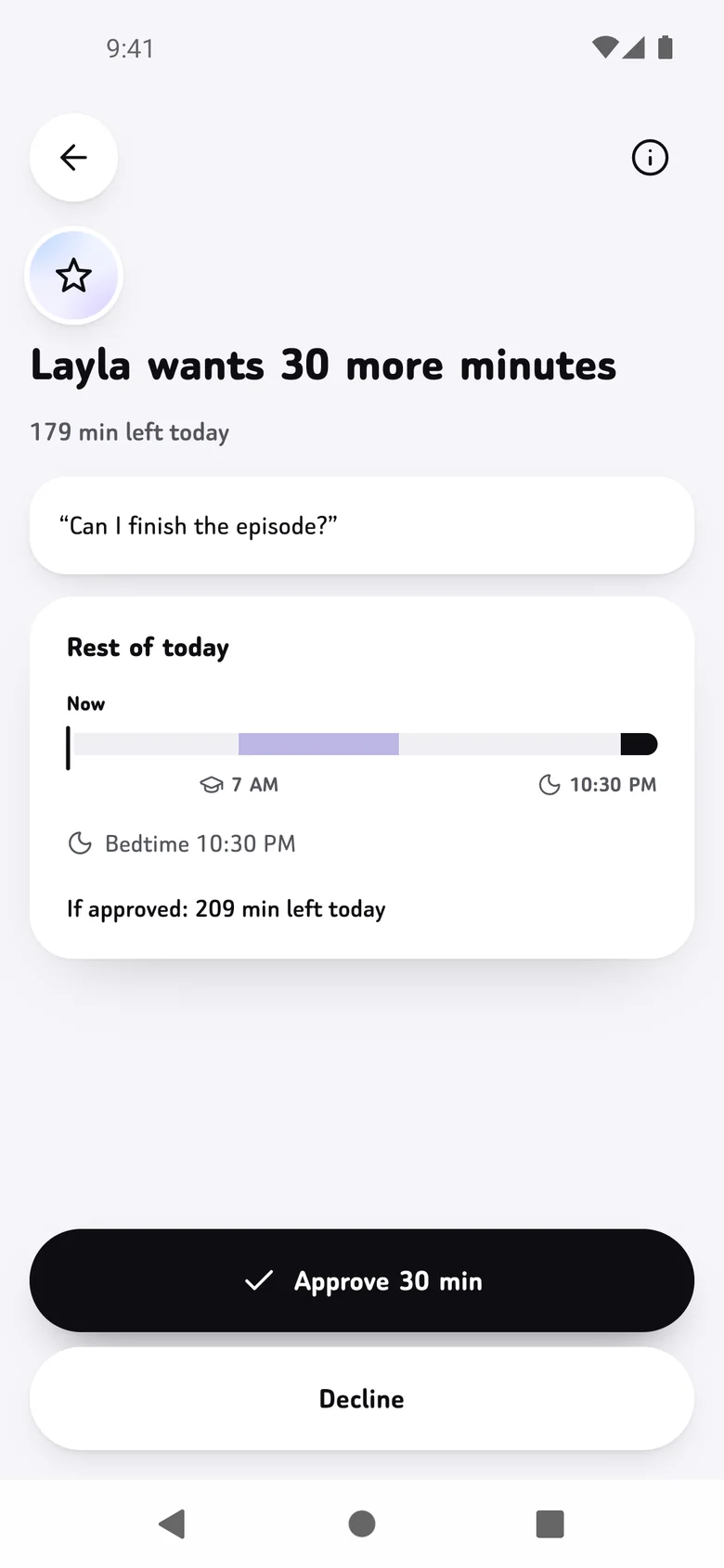
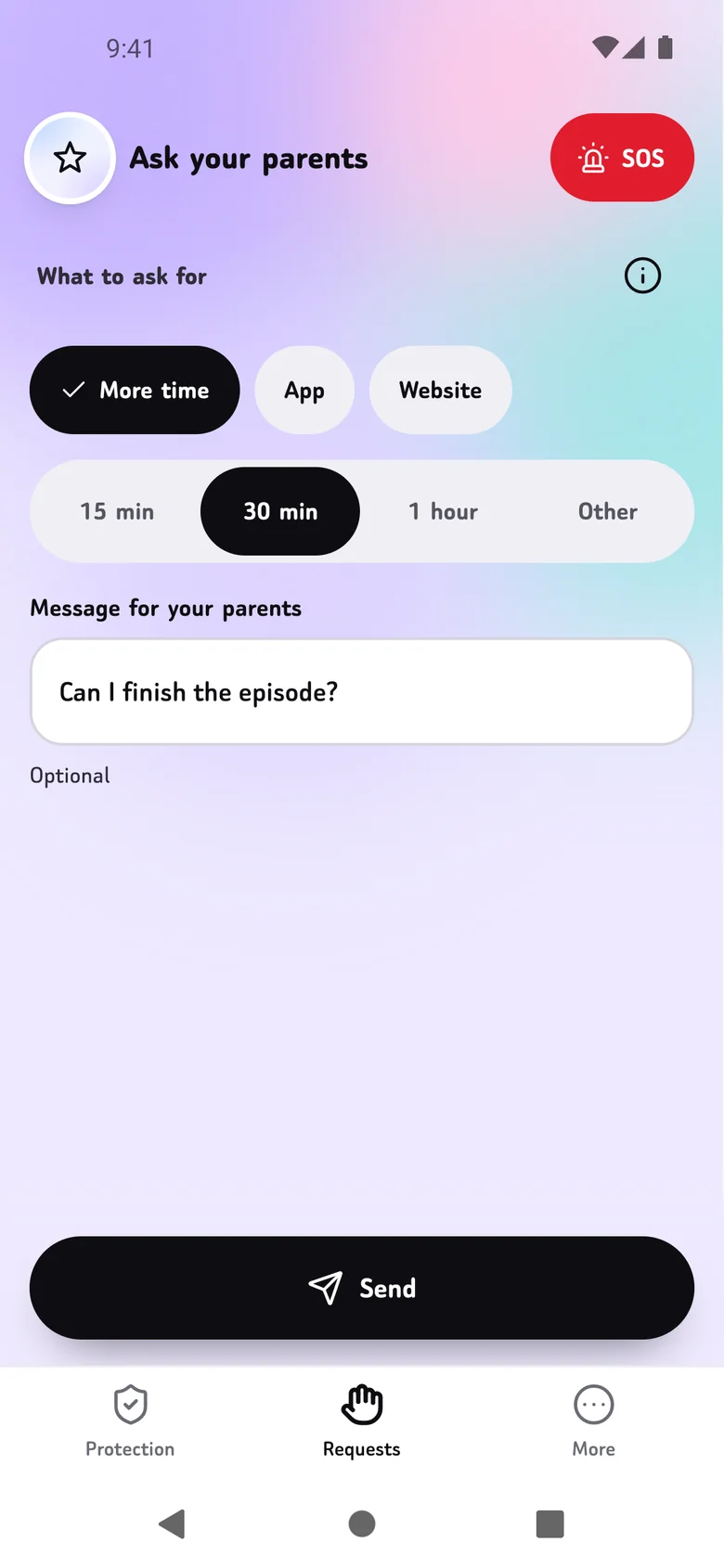
- Your child asks for 30 more minutes.
- The request reaches your phone.
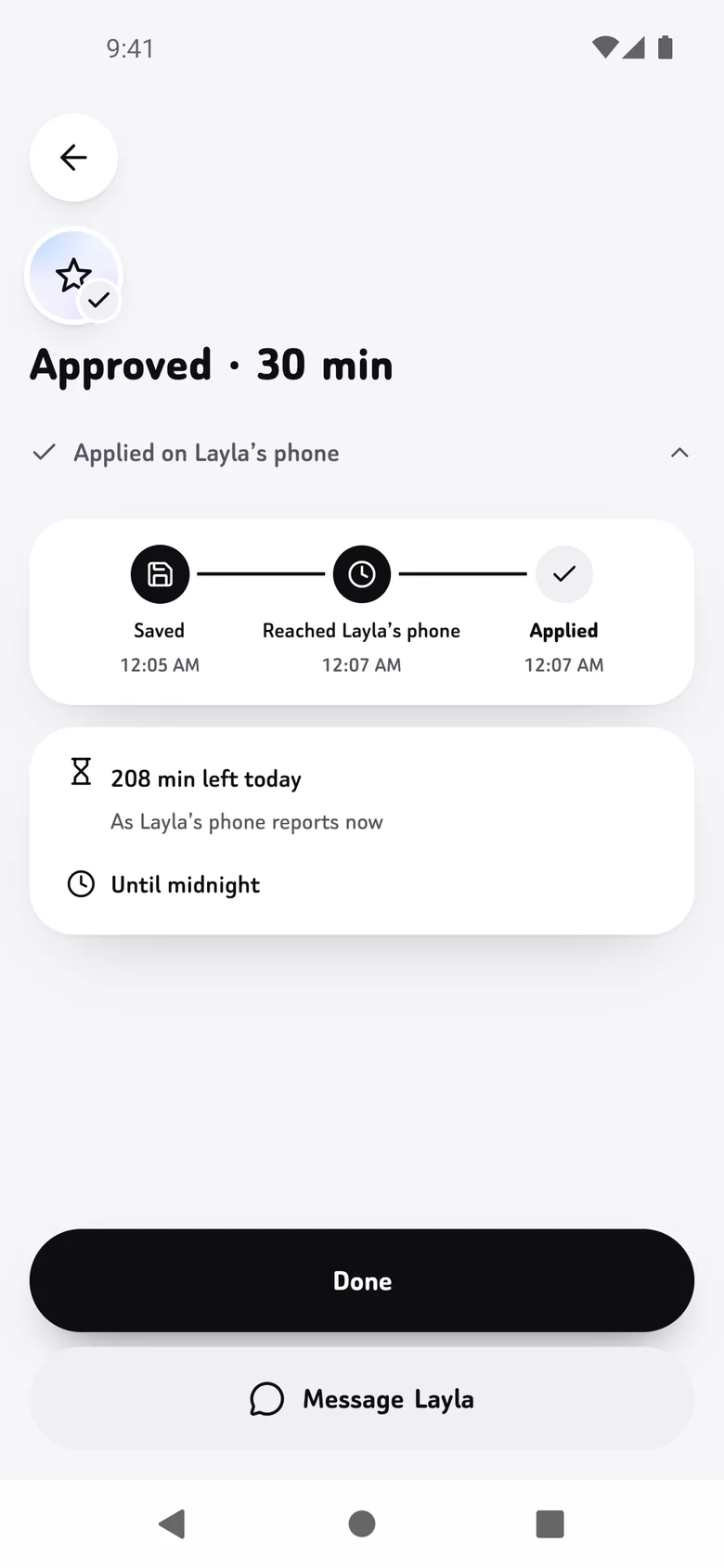
- You approve with one tap.
- The time is added on their phone.
What does Aman protect my child from?
Inappropriate content
Aman blocks sites with inappropriate content, and gambling sites, on your child's phone, in browsers and in apps.
Social media
Social media sites are blocked on a child's phone from the start. For the apps, you block the ones you choose, or give each a time limit.
Scam and phishing
Aman blocks the sites on a list of suspected scam and phishing sites, and updates the list every day. A blocked site may be unsafe, and no list holds every such site.
Look-alike names
In browsers, Aman blocks a site whose name looks like a well-known one, because it may be a scam.
Tapped links
A link tapped in WhatsApp, in SMS or in another app opens in Aman first: it waits for you to allow it, or opens after Aman checks it, as you choose. This is turned on from your child's phone.
Block ads
Aman blocks ad networks' ads in apps and on websites, so less pulls your child away from study. It does not remove ads inside YouTube videos, or sponsored posts inside social apps.
You can block other categories too, such as games and streaming, and your family keeps its own allow list and block list.
Blocking runs on the child's own phone, through a connection they can see. WhatsApp is left outside it, and we don't promise to block every site.
Play time has a limit
A daily screen-time limit, and a limit per app or for a group of apps. When your child asks for more time, you decide.
The rules run on the child's own phone, at home and away, even with no internet.
Morning
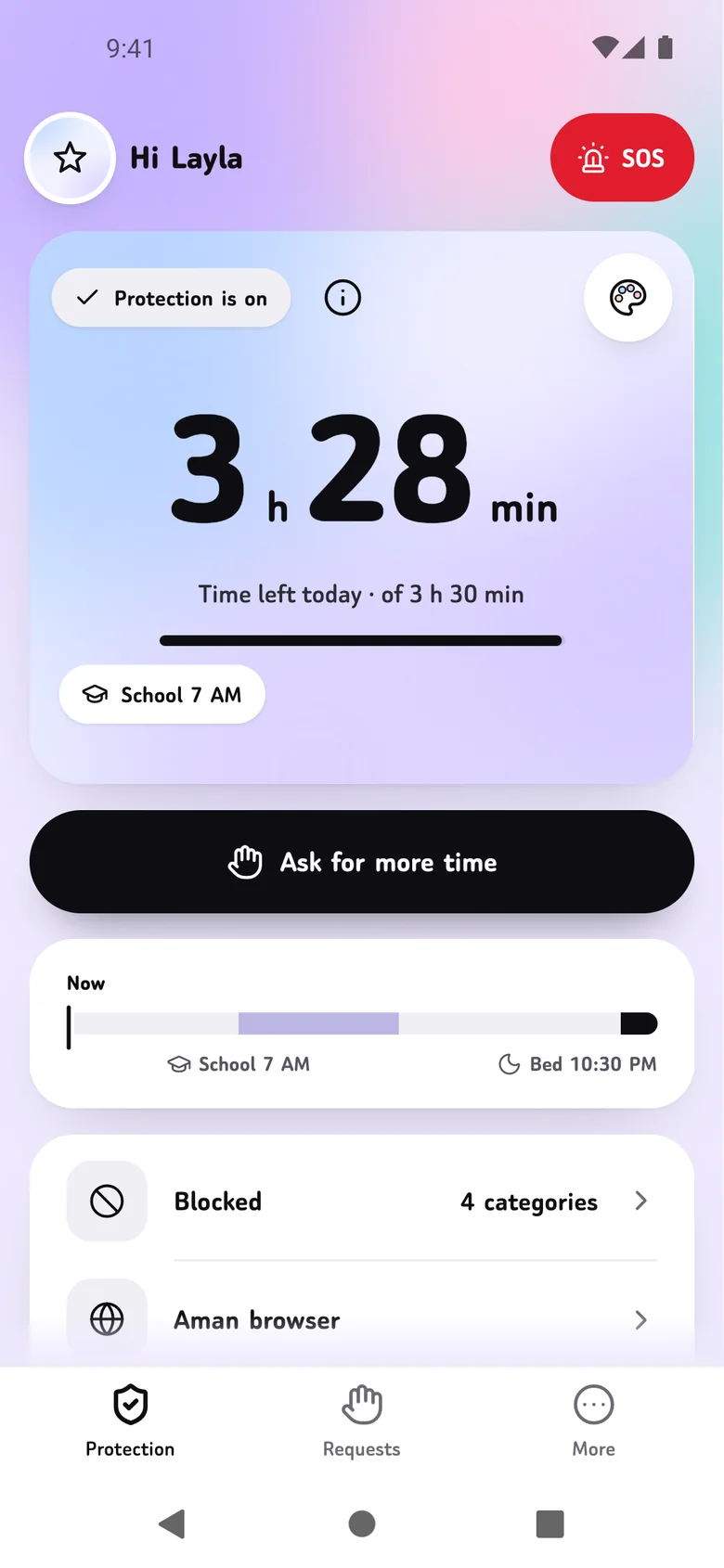
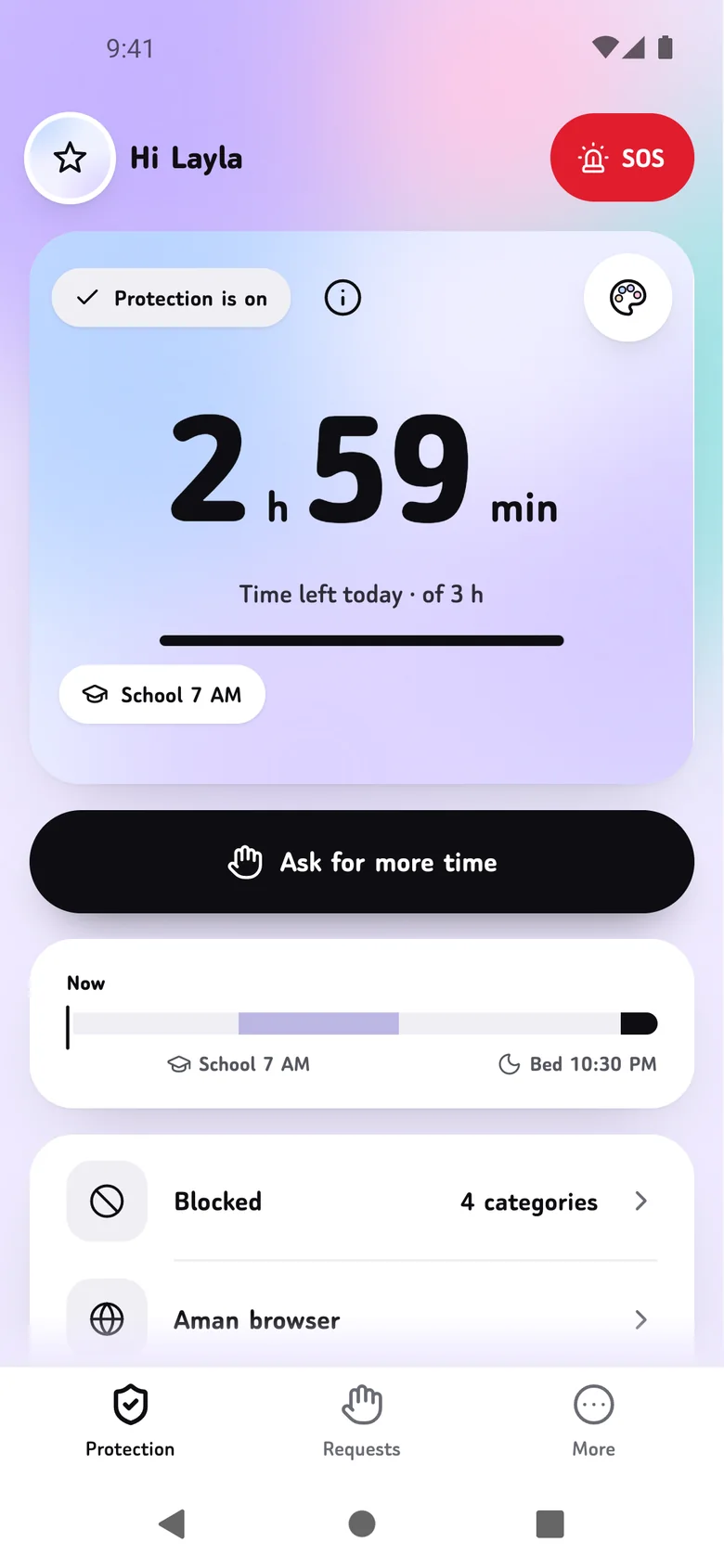
Your child sees the time left today and whether protection is on, in plain words.
School hours
School hours show on the strip of their day. While they last the apps are paused, and the SOS button stays in front of them.
Bedtime
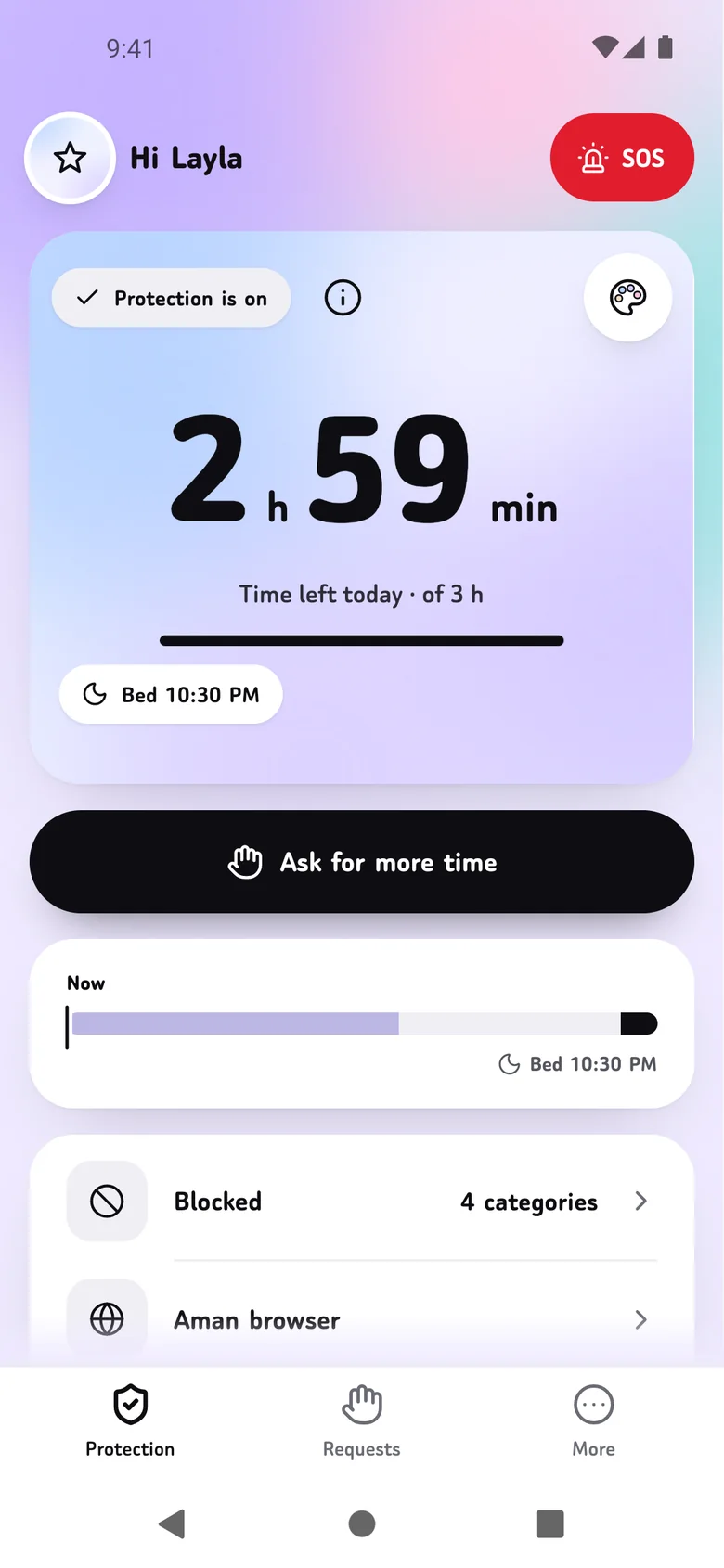
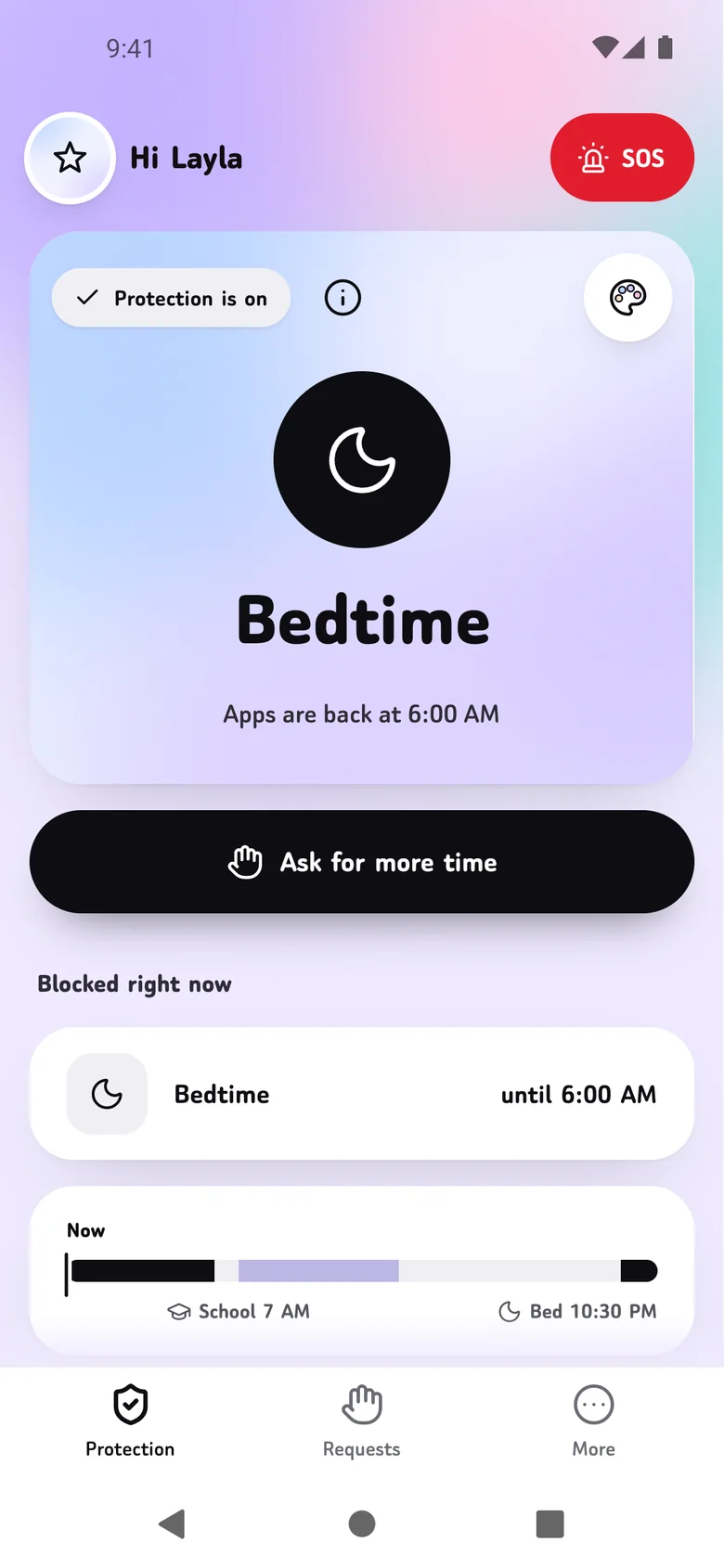
At bedtime the apps go quiet by themselves, and come back in the morning.
And if my child needs me?
SOS button
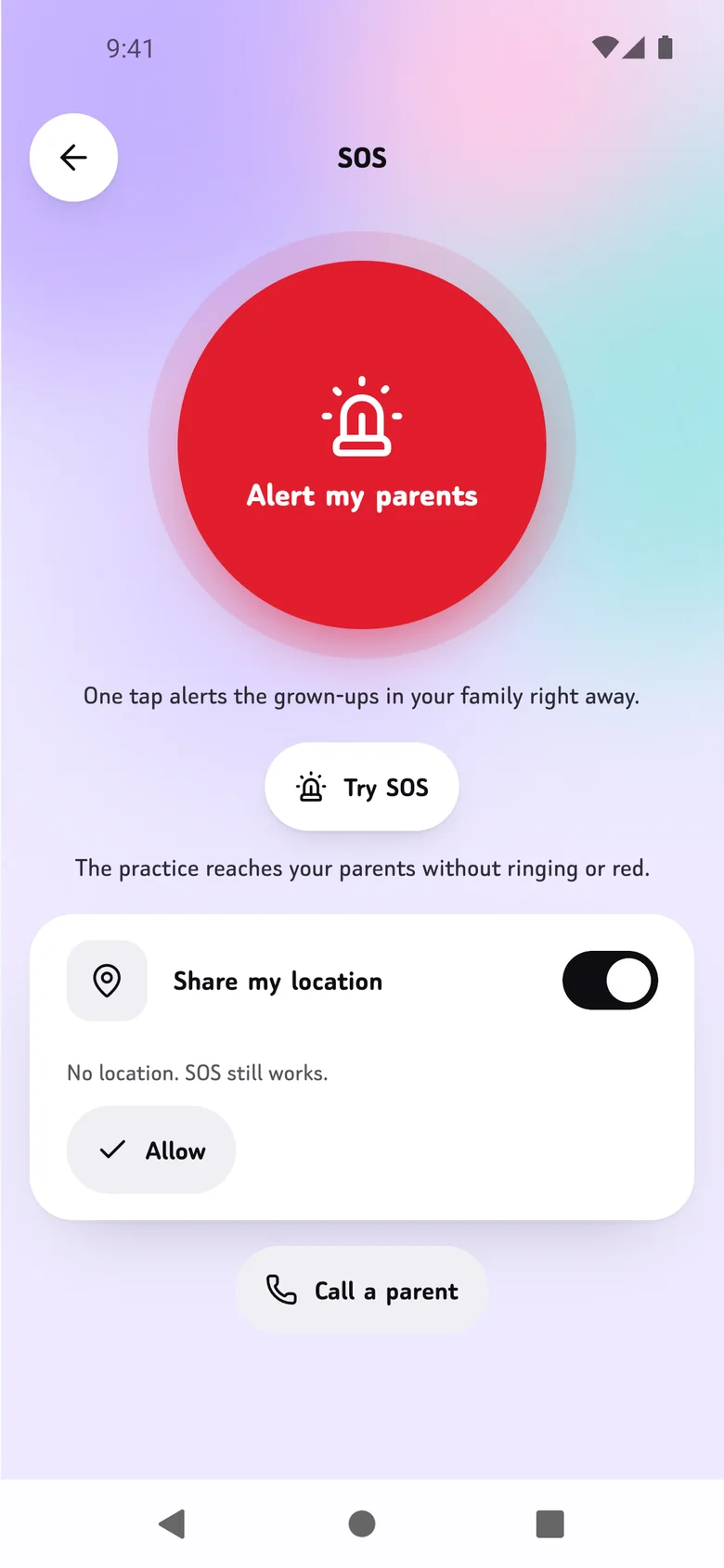
An SOS button on every screen of your child's app. One tap rings your phone, even on silent, and the alert comes with the phone's location when there is one. It works with or without a subscription.
The phone's location
You see where your child's phone is while location sharing is on, and its route over the last seven days. Sharing starts from your child's phone, where they can see it.
The SOS button alerts the family. It does not call the emergency services.
Will my child know?
Yes, always.
Aman is visible on your child's phone under its own name and icon. It is not spyware, and we don't offer it as spyware.
- They see their rules and the time they have left. No surprises.
- They ask for more time or for a website, and see your answer.
Monitoring is optional, and your child is told
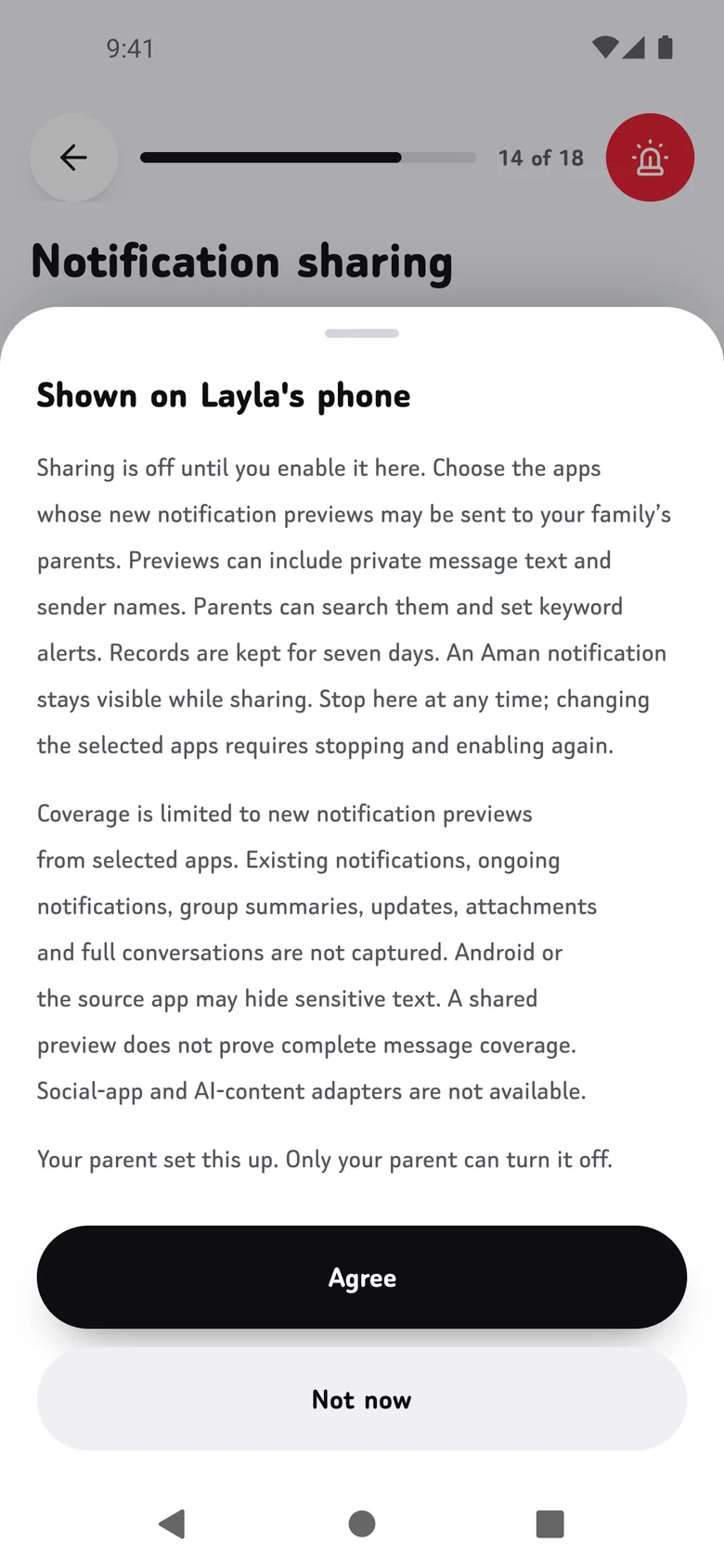
Message checks, photo safety and notification sharing are optional, phone by phone. Each one starts only from your child's phone, after a clear notice on their screen.
What Aman can't promise
Android leaves some doors open. Stopping protection needs the parent's code, and Aman alerts you when an important setting is changed. We don't claim complete protection.
Will it work on our phones?
- Android phones, for parents and for children.
- Tested on Samsung phones.
- iPhone isn't supported yet.
- The parent website opens in any browser.
The two apps aren't on Google Play yet. After you create your account, Aman gives you the install link for each one.
What does it cost?
Prices can't be shown right now. Aman shows the price before any payment.
15% VAT included
- 7 days free first, then the subscription starts unless you cancel.
- You add a card when the trial starts: mada, Visa or Mastercard. The subscription isn't charged before day 8.
- Aman reminds you two days before the trial ends, and again the day before.
- From day 8 the subscription is charged automatically each month or each year, as you chose, until you cancel.
Parent accounts are free. You pay for child phones only.
Price detailsHow do I cancel?
On the “Trial and subscription” page of the parent website, or under Subscription in the app's settings. Only the account owner can cancel.
If you cancel during the trial
Nothing is charged, and protection stops when the seven days end.
If you cancel after paying
Protection continues to the end of the time you paid for. Nothing more is charged.
After a subscription ends
Limits, blocking and schedules stop. The phone is never locked. SOS and family chat keep working, and you can still remove rules.
Questions parents ask
What does Aman block?
Sites with inappropriate content and gambling sites, social media sites, sites suspected of scams or phishing, sites that imitate well-known names, and ad networks' ads. You can block other apps and categories yourself. Blocking runs on the child's phone, and WhatsApp is left outside it.
Can my child switch protection off?
Stopping protection or sharing needs the parent's code. Android leaves some doors open, so Aman alerts you when an important setting changes rather than claiming complete protection.
Do the rules work away from home?
Yes. The child's phone applies the rules itself, on any network, even with no internet. Your changes reach it at the next connection, and the app tells you what has arrived and what is waiting.
How do I install the two apps?
After you create your account, Aman gives you the install link for each app. They aren't on Google Play yet.
Do both parents share one account?
Yes. One family, managed by both parents, who both see the requests and the reports. Only the account owner manages the subscription.